Where can I find my invoices?
We handle our payment processing and subscriptions through a merchant of record, either Paddle.com or Polar.sh, depending on when you subscribed. They take care of international payments and tax remittance, and automatically send a receipt or invoice to the email address you used to sign up with Creatomate. You will receive an email for each transaction. To tell which one handles your subscription, check the sender of your payment confirmation emails.
Paddle
If your payments are handled by Paddle, search your inbox for "Your Creatomate receipt / invoice" from [email protected].
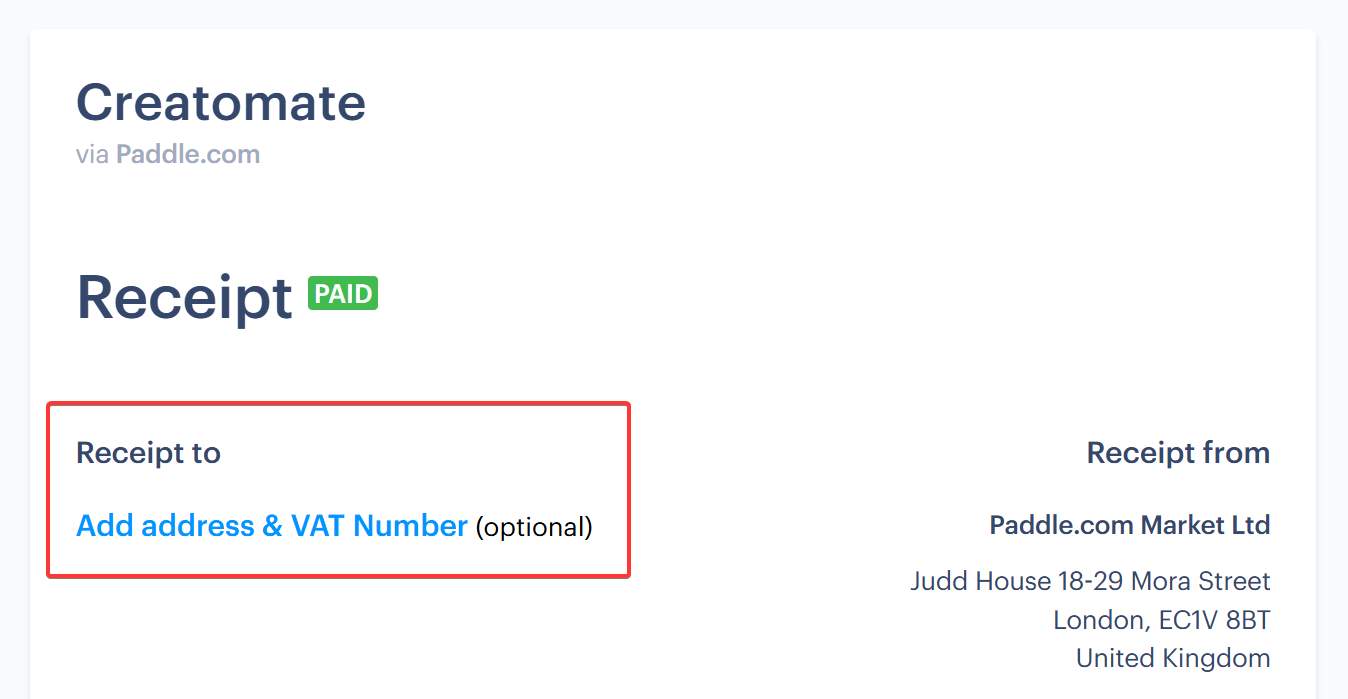
If you are making a payment on behalf of a business, make sure to enter your company details when subscribing. You can also add your company details after the fact by clicking "Add address & VAT Number" on your receipt. If your business is eligible for a VAT refund, you will receive a refund for the corresponding amount.
Polar
If your payments are handled by Polar, you can view your orders and download invoices at any time through the billing portal. To open it, go to Account Settings in your Creatomate dashboard, choose Billing, and click "Open portal". Your billing details, such as company information for your invoices, can be managed there as well.
Can't find an invoice? Contact us at [email protected] and we'll help you out.